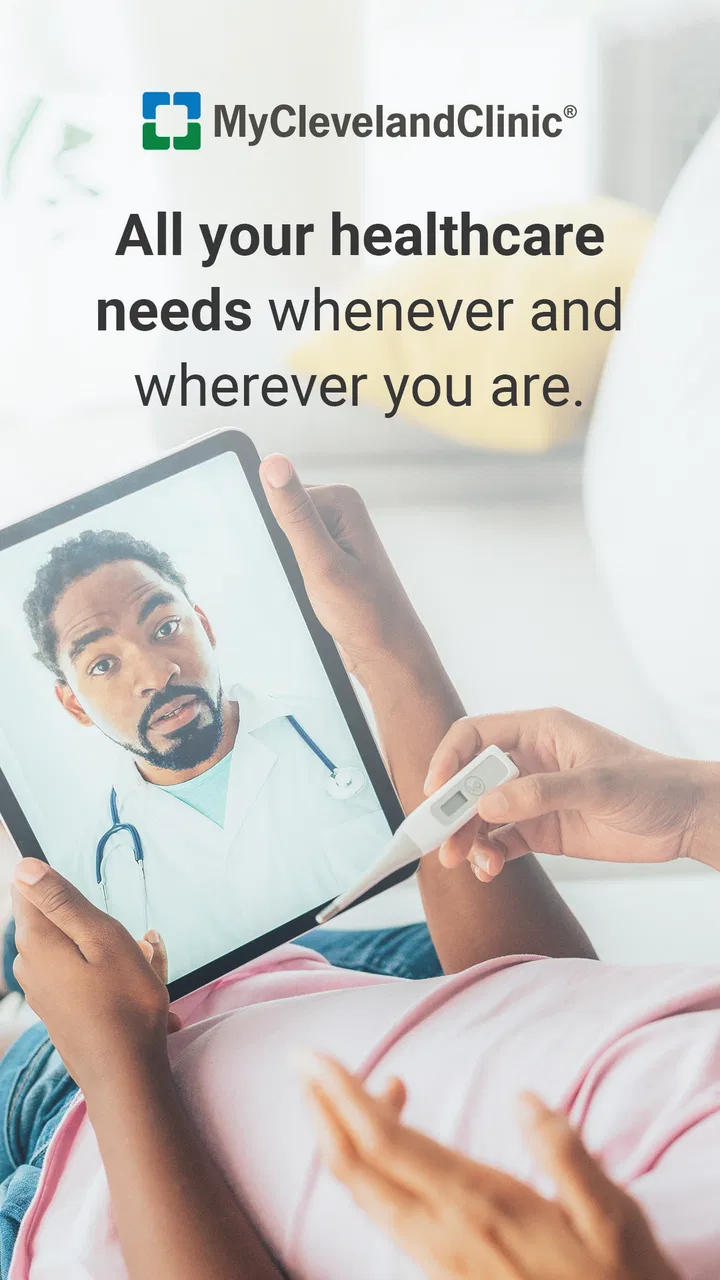
MyClevelandClinic®
- 4.3
- Rating
- 100.00K
- Installs
- Free
- Price

 Analysis by App-foxy
Managing healthcare from a phone sounds simple until a login fails, a record takes time to appear, or you are unsure whether a problem belongs to the app or to the clinic’s system. MyClevelandClinic® is designed to connect patients with portions of their medical record, and after spending time with it, I see its value less as a replacement for every healthcare conversation and more as a practical access point for Cleveland Clinic patients who want their information available in one place.
It is a free medical app from Cleveland Clinic, rated for Everyone, with an average rating of 4.3 from around 778 ratings. It has passed the 100K+ install mark, which gives it a meaningful user base without making it feel like a broad, one-size-fits-all health platform. The important question is not whether everyone needs it. The better question is whether your care is connected to Cleveland Clinic and whether having digital access to parts of your record would make your routine easier.
Where the experience usually gets stuck
The first point of friction is often the distinction between downloading an app and actually having usable access to a medical account. Installing MyClevelandClinic® does not, by itself, create a complete medical history. The app connects patients to portions of their record, so what you see depends on the relationship between your account and the healthcare system. That distinction matters because a blank, incomplete, or delayed view can feel like an app failure even when the underlying issue is account setup or record availability.
You May Also Like

 Google Keep - Notes and lists
Google Keep’s Quiet Growth Shows the Appeal of Simpler Notes
As mobile work gets busier, Google Keep keeps winning a simple contest: capture a thought quickly, find it later, and get on with the day.

 Blood Strike: 2.5 Anniversary
Blood Strike’s Loadouts Turn Every Drop Into a Tactical Gamble
A close look at Blood Strike’s custom loadouts: how fast access to signature weapons reshapes its battle royale rhythm, rewards preparation, and narrows the gap between fights.

 Pandora - Music & Podcasts
Pandora’s Music Is Easy to Start, but Harder to Recover
Pandora’s strength is its low-effort path from a seed to a station. Its weak spot is how much confidence it asks you to place in connection, setup, and quiet recovery.

 8 Ball Pool
 Is Built on Rivalries, Rematches, and Routine
A close look at the rivalries, rematches, shared routines, and unanswered safety questions that turn a quick pool match into a persistent mobile community.

 Samsung Music
’s Quiet Strength Is Playing What You Already Own
Its reach comes less from spectacle than from dependable access to a personal library. That simplicity is both the app’s strongest retention engine and its ceiling.

 AccuWeather: Weather Radar
AccuWeather Review: A Quick, Clear Forecast for Everyday Decisions
For everyday plans, the best forecast is the one you can understand quickly. AccuWeather makes rain timing, radar, and local conditions easy to act on, with a few trade-offs.
More From Our News Desk



I would begin by treating the first launch as an identity and access check rather than a casual app tour. Use the account details associated with your Cleveland Clinic care, and take a moment to read each sign-in prompt instead of repeatedly guessing credentials. A failed attempt followed by several more usually creates more confusion, not faster access. If you are helping a parent or another family member, be especially careful about whose account is being used; switching between people without a clear sign-out routine can make the displayed information difficult to interpret.
Another common stumbling block is expecting every medical detail to appear immediately. A record is not the same thing as a live conversation with a clinician, and an app view is not necessarily a complete copy of everything held by a healthcare organization. If a recent visit, result, or document is not visible, the sensible first step is to check whether the appointment or interaction has finished processing before assuming that the phone application has lost it.
The most useful mindset is to separate access problems from care questions. The app can help you reach available information, but it should not become the place where you try to interpret an urgent symptom or replace professional advice. If something is medically time-sensitive, use the appropriate clinical channel rather than waiting for a screen to update.
What I would check before blaming the app
My first check would be whether the device meets the app’s basic software requirement. The current version is 11.7.2 and requires iOS 11 or later. That is a relatively accessible requirement for many Apple devices, but an older phone or a device that has not been updated can still create installation or reliability issues. If the app will not install or behaves strangely, checking the operating system is more useful than repeatedly reinstalling it.
I would then close the app completely and reopen it, confirm that the phone has a stable internet connection, and try again without switching rapidly between applications. These are ordinary steps, but they matter more for a medical record app than for a casual game because a partial load can leave you unsure whether the information is current. A clean restart gives you a clearer result than judging the app from a screen that may have been interrupted mid-process.
It is also worth checking that the app itself is current through the relevant app store. Cleveland Clinic has continued to maintain the product, and using the current release is a sensible way to avoid troubleshooting an older build. I would not treat an update as a guarantee that every account issue disappears, but it removes one avoidable variable.
When signing in on a shared or borrowed phone, I would take extra care with the device’s account and lock settings. A healthcare app deserves the same caution as a banking app: avoid leaving your record open where another person can casually view it, and do not save credentials in a place you do not control. This is not a reason to avoid the app; it is a reason to make the phone part of your privacy routine.
For a family caregiver, the practical setup question is not simply “Can I install it?” but “Whose information am I authorized and prepared to manage?” If the app presents only your own record, that may be expected rather than a malfunction. Keeping separate sign-in details and avoiding improvised account switching will make the experience easier to understand.
A calmer workflow when information is missing
Suppose you open the app after an appointment and do not see what you expected. I would use a short recovery sequence instead of tapping through every screen repeatedly. First, note exactly what is missing: the appointment itself, a result, a message, or a broader section of the record. That detail changes the next step. Then close and reopen the app, check the connection, and sign in again if necessary. If the same item remains absent, contact the appropriate Cleveland Clinic support or care channel with the specific description rather than reporting only that “the app is broken.”
This approach has an overlooked advantage: it prevents you from confusing a display problem with a clinical problem. If you know the appointment occurred but cannot see it, describe the date and type of interaction when asking for help. If the concern is that a result seems inconsistent or worrying, ask a qualified healthcare professional about the result instead of relying on the app interface to explain it.
I also recommend taking a screenshot only when it is safe and appropriate, and only for your own troubleshooting record. Avoid sharing medical screenshots casually. A written note containing the section you expected to see, the approximate time you checked, and the device behavior is often enough for support to understand the issue without exposing more personal information than necessary.
One of the app’s practical strengths is that it can reduce the need to search through emails, paper instructions, or several unrelated tools for basic record access. The trade-off is that convenience can make users expect instant completeness. I found it more useful when treated as a reference point for available information, not as a definitive timeline of every event the moment it happens.
If the app signs you out, I would avoid making repeated changes to account details while troubleshooting. Record the exact message, restart the normal sign-in process, and use the official help route connected with your Cleveland Clinic relationship if the issue continues. Guessing at account variations can create a second problem that is harder to explain than the first.
When the app is not the cause
Healthcare records move through several stages before they become visible to a patient. A clinician may need to complete documentation, a result may need to be processed, or a record may be associated with a different part of the organization. From the patient’s point of view, all of these situations can look like a frozen app. That is why I would not promise that reinstalling will solve every missing-item problem.
There is also a difference between an app displaying information and a medical office correcting information. If your name, appointment details, or record content appears wrong, the proper fix may need to come from the healthcare organization. Deleting and reinstalling the app cannot correct an underlying record. In that situation, the app is still doing something useful by showing you what needs attention, but it is not the place where every correction can be made.
Network conditions can create another misleading symptom. A weak connection may make a page appear empty or leave a loading action unfinished. Before concluding that information has disappeared, I would try a more reliable connection and reopen the relevant section. If only one item remains unavailable while everything else loads normally, that points more toward a record or processing issue than a general phone problem.
It is equally important not to use the app as an emergency response tool. A medical record portal can be convenient for routine access, but it is not a substitute for urgent care, emergency services, or direct clinical advice. If you are facing severe or rapidly changing symptoms, the correct action is to seek immediate medical help rather than waiting for MyClevelandClinic® to display information or messages.
Compared with a generic health organizer, this app’s main advantage is its connection to Cleveland Clinic records rather than its ability to collect unrelated wellness information. A general organizer may be better for tracking habits across different providers, while a paper folder may still be more useful during an appointment where you need to gather documents from several healthcare systems. MyClevelandClinic® makes the most sense when your care is centered on Cleveland Clinic and you want a direct digital route to the portions of your record made available there.
Compared with calling a clinic for every basic record question, the app can save time and give you a way to check information outside office conversations. But calling remains better when the information is missing, incorrect, urgent, or too complicated to resolve through account access. I would use the app to prepare for that conversation, not to avoid it when human clarification is needed.
Who will benefit, and who should look elsewhere
I would recommend it to Cleveland Clinic patients who prefer checking their healthcare information from a phone and who are comfortable following a few account and troubleshooting steps. It is particularly practical for someone preparing for a visit, reviewing what is available after care, or trying to keep routine record access in one familiar place instead of depending entirely on paper.
It may also help a person who is organized but frequently away from home. Being able to check available information from a mobile device can be more convenient than carrying a folder of documents. The useful habit is to review the record before an appointment and write down questions separately. That turns the app into a preparation tool rather than a passive archive.
I would be more cautious about recommending it to someone whose healthcare is spread across many unrelated providers and who wants one complete, unified history. Since the app is tied to Cleveland Clinic’s patient-record experience, a broader health-management solution or a carefully maintained personal record may serve that person better. I would also not choose it as the sole tool for a caregiver who needs a clearly separated workflow for multiple people without first understanding how account access is handled.
The age rating of Everyone makes it broadly approachable, and the free price removes a financial barrier to trying it. Still, free access does not eliminate the need for a compatible device, an appropriate Cleveland Clinic account relationship, or patience when records are not immediately visible. Those practical conditions matter more than the download decision itself.
My practical verdict after using it
MyClevelandClinic® is a focused medical access app rather than a universal health dashboard. Its value comes from connecting a patient with portions of a Cleveland Clinic record, and that can be genuinely helpful when the account is set up correctly and expectations are realistic. I like that it gives patients a direct alternative to calling for every routine lookup, while still leaving room for the clinic to handle questions the app cannot resolve.
The main weakness is not necessarily a missing feature; it is the uncertainty users can feel when a record is incomplete, delayed, or difficult to access. The best way to reduce that frustration is to check the operating system, keep the app updated, use the correct account, verify the connection, restart cleanly, and describe the exact missing item when seeking help. Those steps are simple, but they make the difference between a manageable hiccup and an unnecessarily confusing experience.
Developed by Cleveland Clinic and available at no charge, it is a sensible choice for patients already connected to that healthcare system. The current release supports devices running iOS 11 or later, and its broad Everyone rating makes it approachable for general patient use. I would install it if Cleveland Clinic is an important part of my care and I wanted convenient access to available record information. I would skip it as a primary solution if I needed a complete cross-provider health archive, a dedicated emergency tool, or a substitute for speaking with a clinician.
My final recommendation is straightforward: use it as a carefully managed doorway to your Cleveland Clinic information. Check it before appointments, use it to identify questions, and give missing or concerning information the right follow-up instead of assuming the screen tells the whole story. With that approach, the app is practical and worthwhile, even though it cannot remove every piece of friction from digital healthcare.
FAQs for MyClevelandClinic®
01What features does the MyClevelandClinic® app offer?
The MyClevelandClinic® app provides users with a variety of features, including virtual visits, appointment scheduling, access to medical records, and secure messaging with healthcare providers. It also offers personalized health trackers and reminders to help manage your health effectively.
02Is the MyClevelandClinic® app secure for accessing medical records?
Yes, the MyClevelandClinic® app uses advanced encryption and security protocols to ensure that your personal information and medical records remain confidential and secure. The app complies with all relevant regulations, including HIPAA, to protect your data.
03Can I use the MyClevelandClinic® app for virtual doctor visits?
Absolutely! The MyClevelandClinic® app is equipped with a virtual visit feature, allowing you to consult with healthcare professionals from the convenience of your home. This feature is perfect for non-emergency consultations and follow-ups without the need to travel.
04Is the MyClevelandClinic® app available for both Android and iOS?
Yes, the MyClevelandClinic® app is available for download on both Android and iOS platforms. You can find it on the Google Play Store for Android devices and the Apple App Store for iOS devices, ensuring broad accessibility for users.
05Does the MyClevelandClinic® app integrate with other health apps and devices?
The MyClevelandClinic® app offers integration with certain health apps and devices, allowing users to sync health data like steps, heart rate, and other metrics. This integration helps provide a comprehensive view of your health and wellness journey, though compatibility may vary by device.
Pros
- User-friendly interface for easy navigation.
- Secure login with biometric options.
- Comprehensive health record access.
- Convenient appointment scheduling.
- Real-time chat with healthcare providers.
Cons
- Limited features for non-Cleveland Clinic patients.
- Occasional app crashes reported by users.
- Long loading times for some sections.
- Requires stable internet connection.
- Limited support for older devices.

MyClevelandClinic®
Gallery